00 / Start here
Welcome aboard
Your projects are planets. Your coding agents are ships.
You decide where the fleet goes next.
Agent Empire is a persistent terminal workspace for people working across projects with Claude, Codex or Grok. Give an agent a task, open a shell to test its work, and move to another project while it runs. The galaxy shows who is working, who needs an answer, and what is ready for your review.
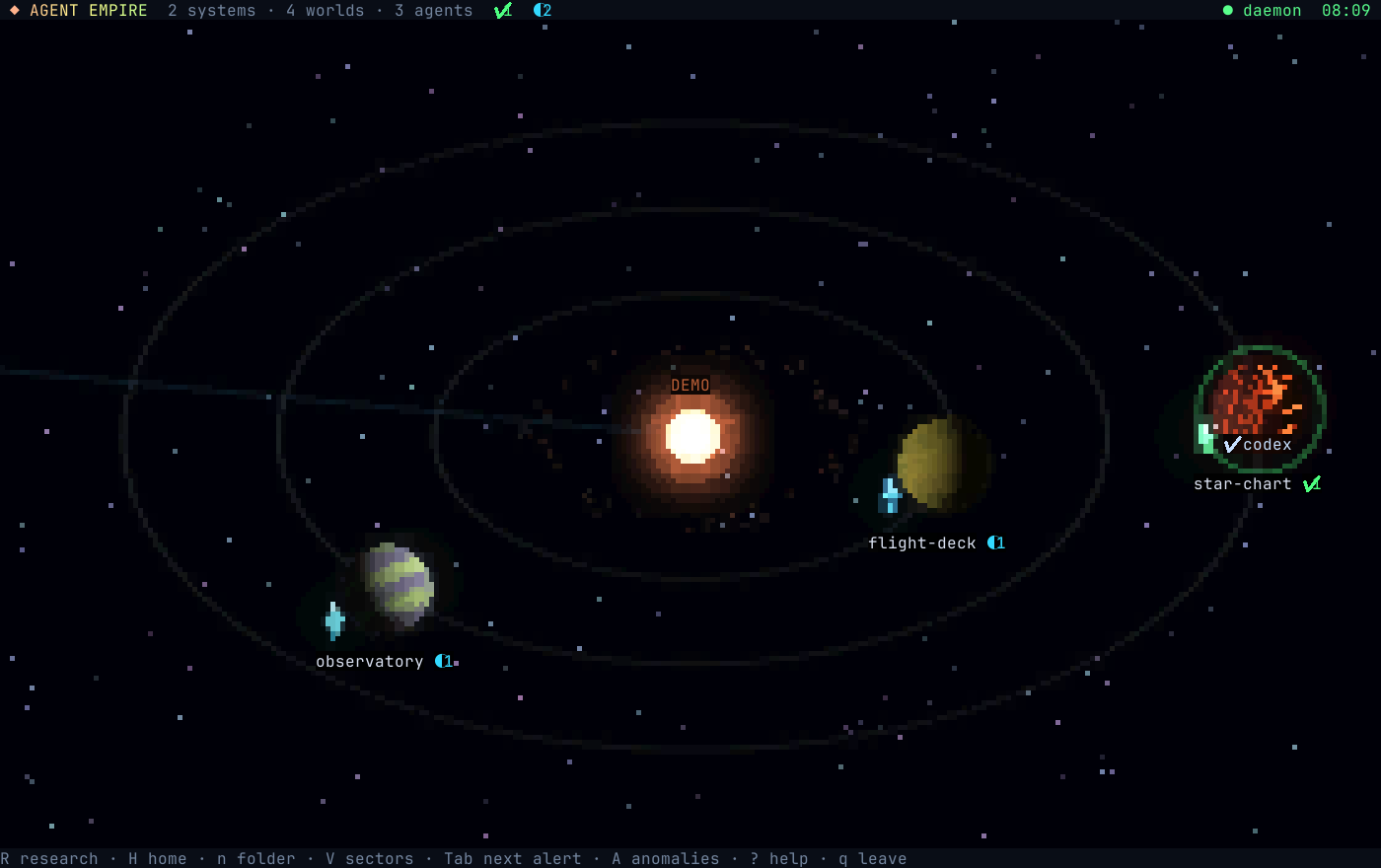
A map of real work
The space vocabulary maps to things you already use. Your code stays in its folders; your agents keep their native tools and permission prompts.
| In the galaxy | On your machine |
|---|---|
| Planet / world | A project folder |
| System | The parent folder grouping projects |
| Ship | A coding agent session |
| Space station | A Git worktree orbiting its project |
| Mission / task | A queued prompt for a project |
| Structure | An agent resource such as AGENTS.md, a skill or MCP configuration |
The everyday loop
- Open a world. Select a project and press Enter to see its agents, terminals and Git state.
- Give it work. Press t to write a task, or e to launch an agent and talk directly.
- Try the result yourself. Press b to open an ordinary shell for tests, a development server or Git.
- Follow the signals. Return to the galaxy and press Tab to find the next agent that needs you.
- Leave and come back. Press q on the galaxy. The daemon keeps sessions alive.