01 / Start here
Your first flight
From an empty terminal to your first working ship.
Before you start
Empire runs on Linux with Git and a true-color terminal. A font with Unicode 16 octant glyphs gives the intended graphics. Ready-to-run binaries support x86-64 and ARM64, glibc 2.35+ and the ALSA runtime library. Rust is only needed to build from source.
Install and authenticate an agent CLI separately: claude, codex or grok. Empire finds executables on your PATH. Model access and subscriptions are provided by those tools, not by Empire. You can explore projects and open ordinary shells without an agent installed.
Install a release
Download from GitHub Releases. Install the ALSA runtime library first if missing: libasound2 on Ubuntu 22.04, libasound2t64 on Ubuntu 24.04, or alsa-lib on Arch. It is needed even when audio is muted.
curl -fL https://github.com/Cozidian/agent-empire/releases/latest/download/install.sh -o /tmp/empire-install.sh
bash /tmp/empire-install.sh
~/.local/bin/empire --version
~/.local/bin/empire
The installer checks the archive’s SHA-256 checksum and installs into ~/.local/bin without sudo. Add that directory to PATH. Use --version v0.1.0 to pin a version, or --bin-dir DIR to choose a location. For manual installation, verify the archive against SHA256SUMS, extract it and copy the binary.
Run the installer again to update. It does not stop agents. Opening the new build reconnects and updates the daemon. empire upgrade switches the daemon to your installed build; it does not download a release. License notices are kept beside the binary as empire.LICENSE, empire.THIRD-PARTY-NOTICES.txt and empire.RUST-THIRD-PARTY-NOTICES.html. Remove the binary and these notice files to uninstall; local state remains.
Build from source
Use a recent stable Rust toolchain. On Debian/Ubuntu install build-essential pkg-config libasound2-dev git; on Arch install base-devel alsa-lib git. The GitHub station additionally needs an authenticated gh CLI.
git clone https://github.com/Cozidian/agent-empire.git
cd agent-empire
cargo build --release --locked
./target/release/empire
To use empire from any terminal, run this from the repository root. Make sure ~/.local/bin is on your PATH.
mkdir -p "$HOME/.local/bin"
ln -s "$PWD/target/release/empire" "$HOME/.local/bin/empire"
The link points at this checkout's release build. Keep the checkout in place; rebuilding updates the command too. If the link already exists, inspect it rather than overwriting another installation blindly.
Chart your first project
- Press V to manage sectors and folders.
- Press n and enter a parent folder such as
~/code. Tab completes the path. - Empire discovers Git repositories beneath that folder and makes them planets. Add more roots the same way.
- Return to the galaxy, select a planet, and press Enter.
For a single folder instead of a whole tree, press n on the galaxy. It does not have to be a Git repository. A missing folder is created only after a second Enter.
Launch and return
In the project workspace, press e, choose an installed species, and launch. You are now in the agent's native terminal. Type a prompt as you normally would.
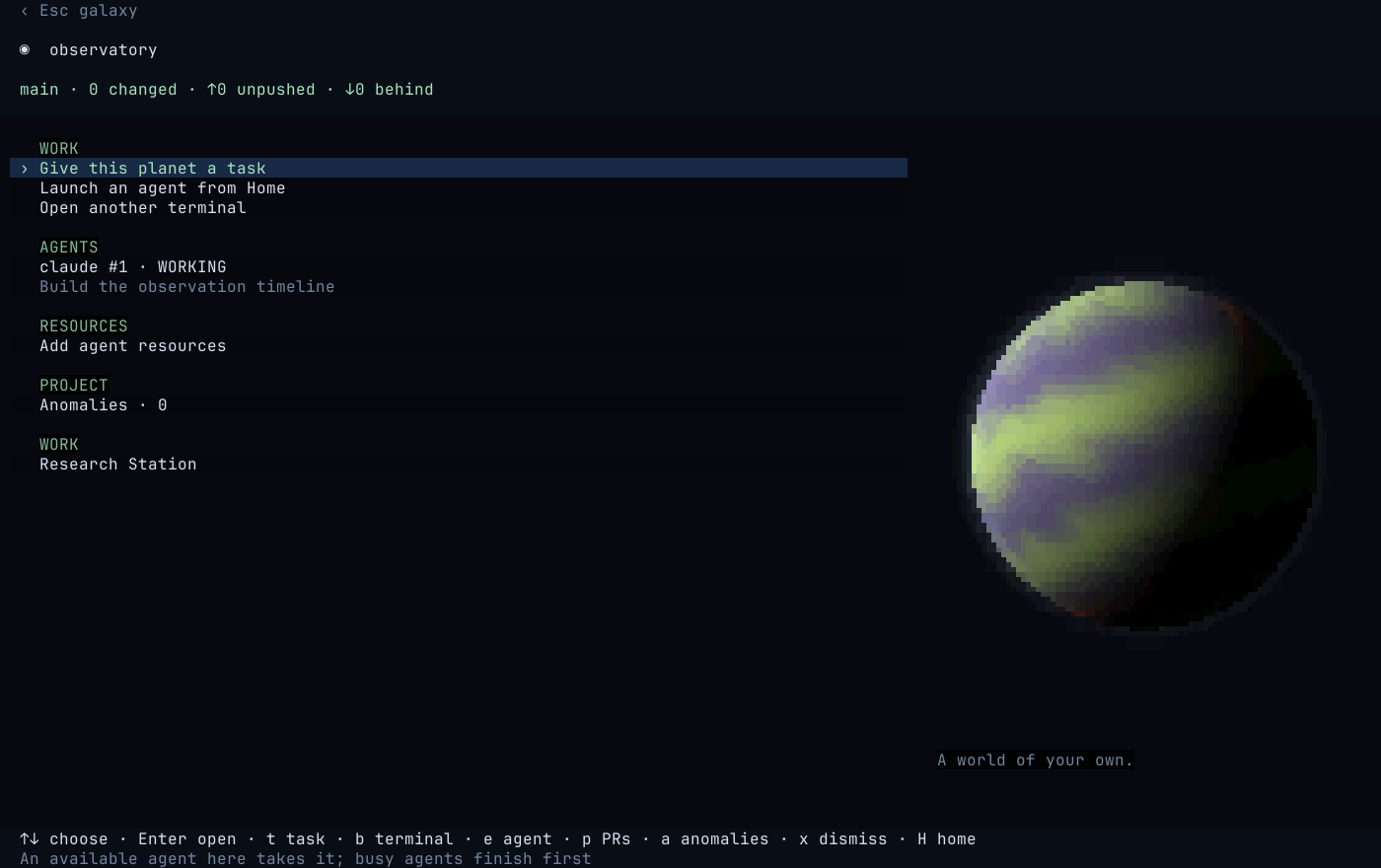
F12 or Ctrl+] returns to Empire. Press b in the project to open a separate shell for testing. When you are done looking around, return to the galaxy and press q.